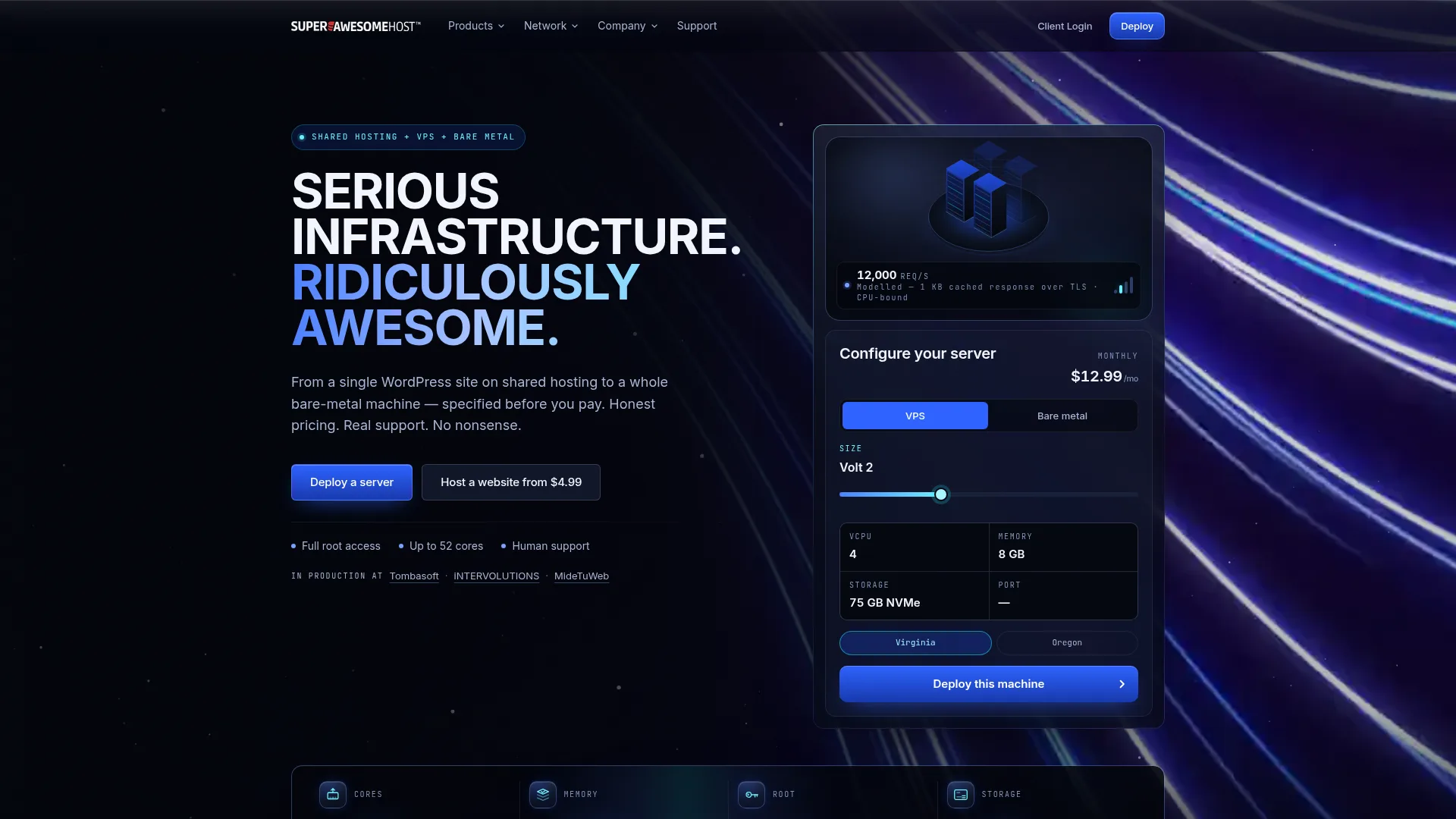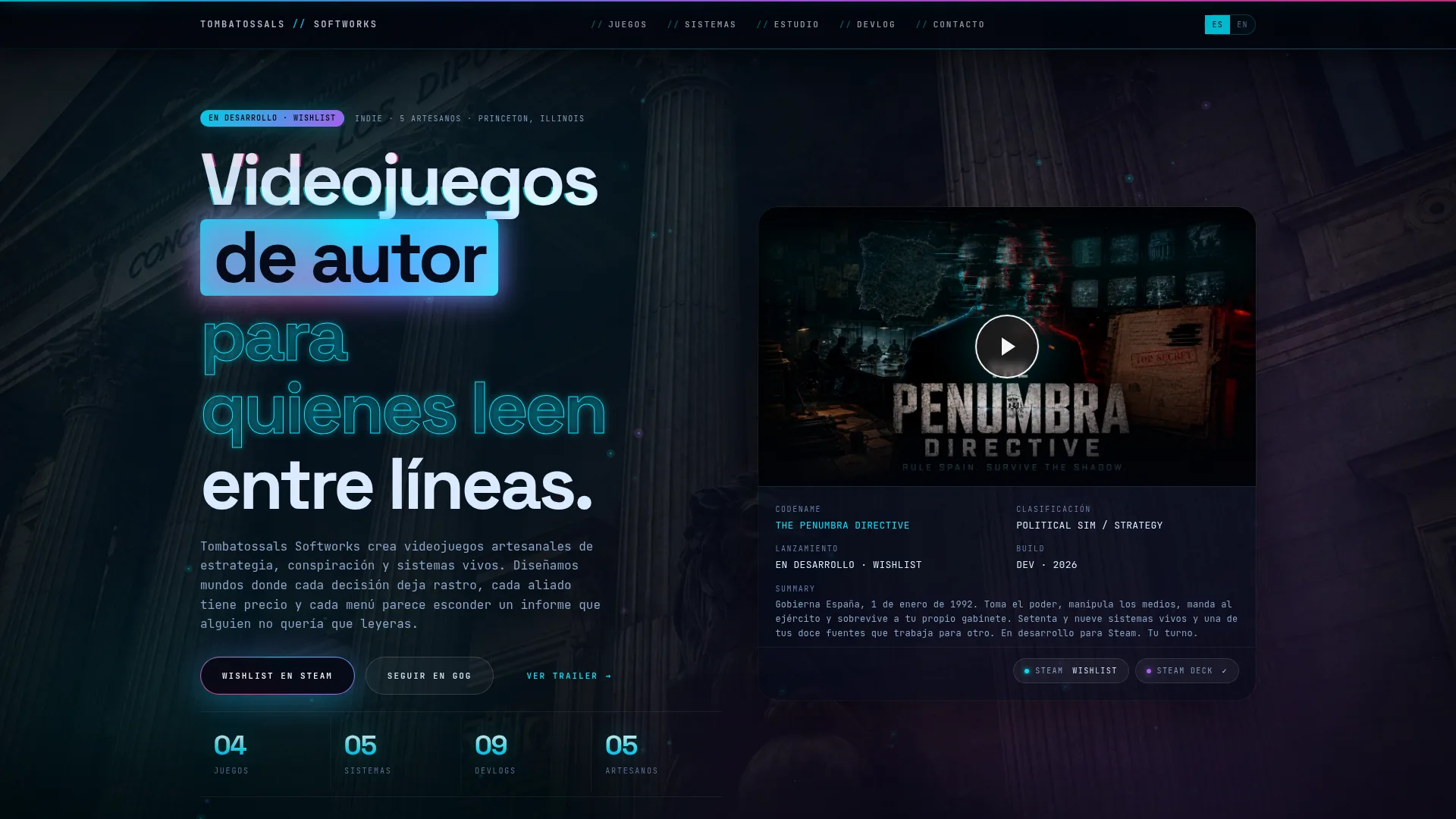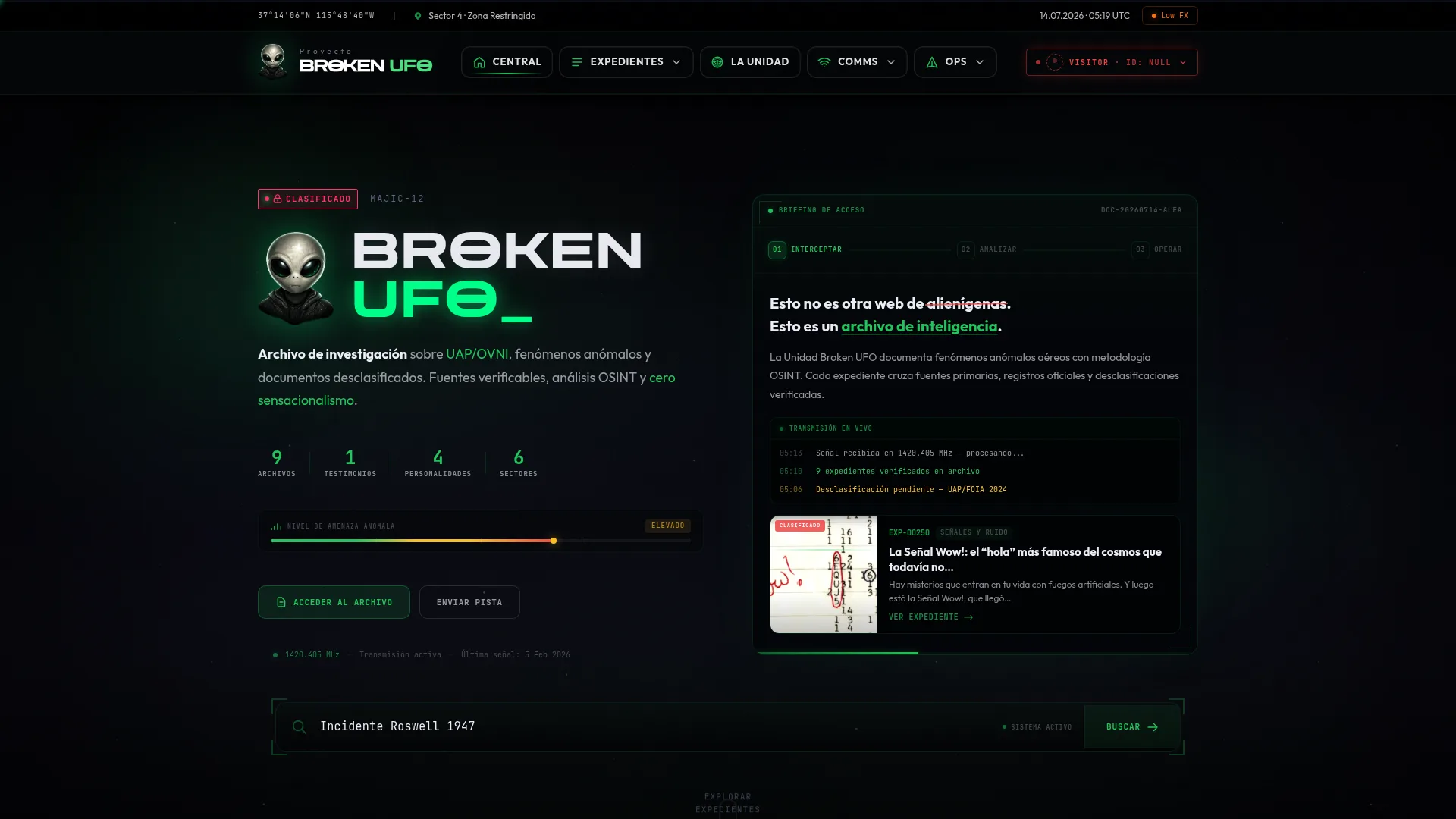
A portfolio stakes its credibility on the images. Desktop mockups floating in 3D look nice but prove nothing. We wanted to show the sites actually working, so we recorded them.
The idea
For every case study there's a browser frame that plays a real video of the site scrolling on its own. It's not a static screenshot with a CSS trick: it's the site rendered and recorded, with its real typography, animations and content.
 brokenufo.com Live
 The pipeline
We use Playwright with headless Chromium. The flow per site: open the page, wait for everything to load, do a smooth, scripted scroll from top to bottom while recording, and save the video. Then we transcode to a lightweight WebM (VP8) so it's small and loads instantly.
const ctx = await browser.newContext({
  viewport: { width: 1920, height: 1080 },
  recordVideo: { dir: 'out/', size: { width: 1920, height: 1080 } },
});
const page = await ctx.newPage();
await page.goto(url, { waitUntil: 'load' });
// close the cookie banner so it doesn't cover the site
await dismissCookies(page);
await smoothScrollToBottom(page, 14_000); // 14 s of scrolling
await ctx.close(); // Playwright flushes the video on close1) Record at 1920×1080: below that, responsive sites collapse to their mobile version and don't shine. 2) Close the cookie banner before recording, or half your video ends up with an overlay covering the content.
What we learned
- The scroll has to use easing, not jumps: a linear run feels robotic.
- Sites with tons of JS (gaming portals, for example) can take down the headless browser; a timeout and a plan B are a good idea.
- A poster (first frame) as a fallback image keeps the frame from showing up black while the video loads.
The result: a portfolio where every project is demonstrated instead of described. And a reusable script we re-run every time a client updates their site.
Recording the same thing twice has to give the same result
A video that comes out different on every run is useless as a portfolio piece: you cannot redo just one when a client updates their site without it clashing with the rest. There are three sources of variation, and all three get closed before recording.
- Web fonts. If recording starts before they load, the first seconds show the fallback face and the text jumps. Wait for font loading to settle, not just for the page to be loaded.
- Entrance animations. Almost every modern site reveals blocks on scroll. If the sweep is faster than the animation, you record the intermediate state. Slow the sweep until the site is ahead of it, not the other way round.
- Auto-playing carousels and embedded video. Freeze them before recording, or every take lands on a different frame.
Why the sweep uses requestAnimationFrame
The obvious way to travel down a page is window.scrollBy inside a loop with pauses. It looks bad: the page moves in step-sized jumps and reads as robotic on video. The way that works is to animate the position with requestAnimationFrame and an easing curve, so the movement starts slowly, settles, and brakes at the end.
The overlooked detail: fix the capture rate and fit the sweep to it. If the recording runs at thirty frames per second and the sweep advances by wall-clock time, any hiccup on the recording machine becomes a hiccup in the final video.
Light WebM, a poster, and no blind autoplay
The video is transcoded to WebM. A case study page carries one video above the fold, and the goal is for it to weigh less than the static screenshot it replaces; at this resolution, with this content — a web page, with large flat areas of colour — the codec compresses very well.
Every video carries its first frame as a poster, so the browser chrome never shows up black while it loads. It plays muted, looped and without controls, because it is not content to consume: it is a moving illustration. Which also means the copy around it has to say the same thing, for anyone who cannot see it.
Anyone with prefers-reduced-motion enabled does not see the sweep: they see the poster, which is a real screenshot of the same site. No information is lost, it just stops moving.
What it costs to keep it running
A pipeline like this only makes sense if you can re-run it without thinking. There is one script and the site list is a file; redoing one case is a single command, and redoing all sixteen is the same command with no arguments. Without that, the portfolio freezes in the state those sites were in on the day they were recorded — which is exactly the problem we set out to solve.
It is the same principle we apply across the rest of the site: if a task has to be repeated, automate it even when doing it by hand would be faster the first time.